
Download Windows Live Winamp (Vista) Skin
Author: Hanif
Author’s Notes: Just a Winamp skin in the new Microsoft Live’s design.
Carefully read the Readme file please.
Original concept by Hanif ; many thanks to him

If you are an Apple Mac OS X user you know pretty well that there aren’t a lot of freeware applications in the Internet able to tweak, hack and customize your wonderful operating system. That’s why you should take in high consideration this freeware software which, once used, will let you discover a totally unknown world. I am talking about the world of the hidden options and features, secretly available in your Mac OS X!
TinkerTool is a free application for your Mac giving you access to those extra settings Apple has built into Mac OS X. “This allows to activate hidden features in the operating system and in some of the applications delivered with the system”. Here is a small list of its great features:
- The tweaks only affect the current user.
- No need of administrative privileges to use the tool.
- The software doesn’t change any component of the operating system.
- All settings changed by TinkerTool can be reset to Apple’s defaults.
If you want to know more, here is a full list of its tricks and hacks. If you want to download it, visit the official website.
If you are on Windows XP and planning to get Windows 7 look on your system without installing Windows 7 operating system, you can try Windows 7 theme. Windows 7 theme will change your whole Windows XP appearance, giving it a fresh and advanced Windows 7 look. Since, you will install a XP theme, this is not going to change any of your system settings or replace any system files. It’s safe and fast. Download Windows 7 theme for Windows XP.


Windows 7 theme replaces your desktop icons, change the default desktop wallpaper and the look of your folders. You can choose from three default Windows 7 themes, i.e. Basic, Black or Aero.
Install Windows 7 Theme on Windows XP
1. Download Windows 7 theme for Windows XP.
2. Open “UX Theme Patcher” folder and install “UXTheme Multi-Patcher 6.0.exe“.
3. Open “Theme\Windows 7 M1 VS” folder and install “Windows 7 M1 VS.msstyles“.
NOTE : VirusTotal confirms that one file from this Windows 7 theme folder is infected. Read it here.
That’s it. Now you should get a whole new look of Windows 7 on your Windows XP system. You can also use Windows 7 transformation pack to get Winows 7 feel and style on Windows XP systems.
One of the many features in Windows 7 is Windows Touch, which provides multi-touch gestures functionality for the operating system, taking cue from multi-touch capability of iPhone and iPod Touch. Various applications in Windows 7 such as photo viewing program, Internet Explorer 8 (IE8) and mapping application has built-in support to respond to multi-touch gesture, based on Microsoft Surface technology. In fact, Windows 7 multi-touch demo by Microsoft year ago managed to create a buzz strongly.
With the impending arrival of Windows 7, Microsoft introduces Microsoft Touch Pack for Windows 7, which consists of 6 multi-touch optimized application software and games for Windows 7. These touch-sensitive apps composed of 3 casual games and 3 Microsoft Surface applications that have been created for Windows 7.
Microsoft Surface Globe

Google Earth competitor from Microsoft. Microsoft Surface Globe uses the Virtual Earth 3D engine to display a 3D version of the world. Using multi-touch, you can navigate to different regions, get local information, and “pin” your favorite locations. You can even “fly” around 3D models of buildings in some cities. To see how multi-touch works in Microsoft Surface Globe, check out video below.
<embed src="http://images.video.msn.com/flash/soapbox1_1.swf" width="432" height="364" id="g8bfipfp" type="application/x-shockwave-flash" allowFullScreen="true" allowScriptAccess="always" pluginspage="http://macromedia.com/go/getflashplayer" flashvars="c=v&v=8f5ee5db-24f5-45fb-a3f6-d1a9660155a6&ifs=true&fr=msnvideo&mkt=en-US"></embed>
Microsoft Surface Collage

Microsoft Surface Collage is essentially touch-enabled Windows Photo Viewer with collage function, where users can arrange and resize them using only fingertips. Then, users can save the collage and make it the desktop background.
Microsoft Surface Lagoon
Adventurous users who have downloaded and installed Windows 7 Build 7127, a post-RC pre-RTM version of Windows 7 leaked, can now also download and install language interface packs (LIP, also known as MUI - Multilingual User Interface) to change the language of user interface to their first native language or mother tongue. The language packs convert system menus, dialogs and other text in Windows 7 to selected localized languages. Both 32bit (x86) and 64bit (x64) versions of language packs for Windows 7 Build 7127 is available.
Download 32-bit Windows 7 Build 7127 Language Packs
English (EN-US): 7127.0.090507-1820_x86fre_en-us.zip
German (DE-DE): 7127.0.090507-1820_x86fre_de-de.zip
Spanish (ES-ES): 7127.0.090507-1820_x86fre_es-es.zip
French (FR-FR): 7127.0.090507-1820_x86fre_fr-fr.zip
Italian (IT-IT): 7127.0.090507-1820_x86fre_it-it.zip
Japanese (JA-JP): 7127.0.090507-1820_x86fre_ja-jp.zip
Simplified Chinese (ZH-CN): 7127.0.090507-1820_x86fre_zh-cn.zip
Hong Kong Chinese (ZH-HK): 7127.0.090507-1820_x86fre_zh-hk.zip
Traditional Chinese (ZH-TW): 7127.0.090507-1820_x86fre_zh-tw.zip
Korean (KO-KR): 7127.0.090507-1820_x86fre_ko-kr.zip
Bulgarian (BG-BG): 7127.0.090507-1820_x86fre_bg-bg.zip
Czech (CS-CZ): 7127.0.090507-1820_x86fre_cs-cz.zip
Danish (DA-DK): 7127.0.090507-1820_x86fre_da-dk.zip
Greek (EL-GR): 7127.0.090507-1820_x86fre_el-gr.zip
Estonian (ET-EE): 7127.0.090507-1820_x86fre_et-ee.zip
Finnish (FI-FI): 7127.0.090507-1820_x86fre_fi-fi.zip
Hungarian (HU-HU): 7127.0.090507-1820_x86fre_hu-hu.zip
Lithuanian (LT-LT): 7127.0.090507-1820_x86fre_lt-lt.zip
Latvian (LV-LV): 7127.0.090507-1820_x86fre_lv-lv.zip
Norwegian (NB-NO): 7127.0.090507-1820_x86fre_nb-no.zip
Dutch (NL-NL): 7127.0.090507-1820_x86fre_nl-nl.zip
Polish (PL-PL): 7127.0.090507-1820_x86fre_pl-pl.zip
Portuguese (PT-PT): 7127.0.090507-1820_x86fre_pt-pt.zip
Brazilian Portuguese (PT-BR): 7127.0.090507-1820_x86fre_pt-br.zip
Romanian (RO-RO): 7127.0.090507-1820_x86fre_ro-ro.zip
Slovak (SK-SK): 7127.0.090507-1820_x86fre_sk-sk.zip
Slovenian (SL-SI): 7127.0.090507-1820_x86fre_sl-si.zip
Swedish (SV-SE): 7127.0.090507-1820_x86fre_sv-se.zip
Arabic (AR-SA): 7127.0.090507-1820_x86fre_ar-sa.zip
Hebrew (HE-IL): 7127.0.090507-1820_x86fre_he-il.zip
Croatian (HR-HR): 7127.0.090507-1820_x86fre_hr-hr.zip
Serbian or Latin (SR-LATN-CS): 7127.0.090507-1820_x86fre_sr-latn-cs.zip
Thai (TH-TH): 7127.0.090507-1820_x86fre_th-th.zip
Turkish (TR-TR): 7127.0.090507-1820_x86fre_tr-tr.zip
Ukrainian (UK-UA): 7127.0.090507-1820_x86fre_uk-ua.zip
Russian (RU-RU): 7127.0.090507-1820_x86fre_ru-ru.zip
Download 64-bit Windows 7 Build 7127 Language Packs
English (EN-US): 7127.0.090507-1820_x64fre_en-us.zip
German (DE-DE): 7127.0.090507-1820_x64fre_de-de.zip
Spanish (ES-ES): 7127.0.090507-1820_x64fre_es-es.zip
French (FR-FR): 7127.0.090507-1820_x64fre_fr-fr.zip
Italian (IT-IT): 7127.0.090507-1820_x64fre_it-it.zip
Japanese (JA-JP): 7127.0.090507-1820_x64fre_ja-jp.zip
Simplified Chinese (ZH-CN): 7127.0.090507-1820_x64fre_zh-cn.zip
Hong Kong Chinese (ZH-HK): 7127.0.090507-1820_x64fre_zh-hk.zip
Traditional Chinese (ZH-TW): 7127.0.090507-1820_x64fre_zh-tw.zip
Korean (KO-KR): 7127.0.090507-1820_x64fre_ko-kr.zip
Bulgarian (BG-BG): 7127.0.090507-1820_x64fre_bg-bg.zip
Czech (CS-CZ): 7127.0.090507-1820_x64fre_cs-cz.zip
Danish (DA-DK): 7127.0.090507-1820_x64fre_da-dk.zip
Greek (EL-GR): 7127.0.090507-1820_x64fre_el-gr.zip
Estonian (ET-EE): 7127.0.090507-1820_x64fre_et-ee.zip
Finnish (FI-FI): 7127.0.090507-1820_x64fre_fi-fi.zip
Hungarian (HU-HU): 7127.0.090507-1820_x64fre_hu-hu.zip
Lithuanian (LT-LT): 7127.0.090507-1820_x64fre_lt-lt.zip
Latvian (LV-LV): 7127.0.090507-1820_x64fre_lv-lv.zip
Norwegian (NB-NO): 7127.0.090507-1820_x64fre_nb-no.zip
Dutch (NL-NL): 7127.0.090507-1820_x64fre_nl-nl.zip
Polish (PL-PL): 7127.0.090507-1820_x64fre_pl-pl.zip
Portuguese (PT-PT): 7127.0.090507-1820_x64fre_pt-pt.zip
Brazilian Portuguese (PT-BR): 7127.0.090507-1820_x64fre_pt-br.zip
Romanian (RO-RO): 7127.0.090507-1820_x64fre_ro-ro.zip
Slovak (SK-SK): 7127.0.090507-1820_x64fre_sk-sk.zip
Slovenian (SL-SI): 7127.0.090507-1820_x64fre_sl-si.zip
Swedish (SV-SE): 7127.0.090507-1820_x64fre_sv-se.zip
Arabic (AR-SA): 7127.0.090507-1820_x64fre_ar-sa.zip
Hebrew (HE-IL): 7127.0.090507-1820_x64fre_he-il.zip
Croatian (HR-HR): 7127.0.090507-1820_x64fre_hr-hr.zip
Serbian or Latin (SR-LATN-CS): 7127.0.090507-1820_x64fre_sr-latn-cs.zip
Thai (TH-TH): 7127.0.090507-1820_x64fre_th-th.zip
Turkish (TR-TR): 7127.0.090507-1820_x64fre_tr-tr.zip
Ukrainian (UK-UA): 7127.0.090507-1820_x64fre_uk-ua.zip
Russian (RU-RU): 7127.0.090507-1820_x64fre_ru-ru.zip
For users look at complete collection of Windows 7 Build 7127 Language Interface Packs, it’s possible to download the full DVD ISO image with all MUI LIPs available for extraction. The DVD disc ISO images are available for free download via BT BitTorrent network using the following torrent files.
32-bit Windows 7 Build 7127 LIP: 7127.0.090507-1820_x86fre_client_langpacks-GRMCLP_DVD.iso.torrent
64-bit Windows 7 Build 7127 LIP: 7127.0.090507-1820_x64fre_client_langpacks-GRMCXLP_DVD.iso.torrent
If you’re using Windows 7 RC, here’s the MUI Language Interface Packs for Windows 7 RC. The ZIP archive contains lp.cab cabinet file which contains localized language resources. Here’s how to install a LIP in Windows 7, and steps to change the language of user interface in Windows 7 manually.
Another newer pre-RTM and post-RC build of Windows 7 has been leaked, and this time it’s Windows 7 Build 7137. The English version of Windows 7 Ultimate Build 7137 can be downloaded via BT torrent network. User who wishes to translate and change the Windows 7 UI to other international language can download the following MUI (Multilingual User Interface) language packs for the conversion.
Download Windows 7 Build 7137 32bit (x86) Language Packs
English (EN-US): en-us_x86.zip
Arabic (AR-SA): ar-sa_x86.zip
Bulgarian (BG-BG): bg-bg_x86.zip
Simplified Chinese (ZH-CN): zh-cn_x86.zip
Traditional Chinese Hong Kong(ZH-HK): zh-hk_x86.zip
Traditional Chinese Taiwan(ZH-TW): zh-tw_x86.zip
Croatian (HR-HR): hr-hr_x86.zip
Czech (CS-CZ): cs-cz_x86.zip
Danish (DA-DK): da-dk_x86.zip
Dutch (NL-NL): nl-nl_x86.zip
Estonian (ET-EE): et-ee_x86.zip
Finnish (FI-FI): fi-fi_x86.zip
French (FR-FR): fr-fr_x86.zip
German (DE-DE): de-de_x86.zip
Greek (EL-GR): el-gr_x86.zip
Hebrew (HE-IL): he-il_x86.zip
Hungarian (HU-HU): hu-hu_x86.zip
Italian (IT-IT): it-it_x86.zip
Japanese (JA-JP): ja-jp_x86.zip
Korean (KO-KR): ko-kr_x86.zip
Latvian (LV-LV): lv-lv_x86.zip
Lithuanian (LT-LT): lt-lt_x86.zip
Norwegian (NB-NO): nb-no_x86.zip
Polish (PL-PL): pl-pl_x86.zip
Portuguese (PT-PT): pt-pt_x86.zip
Brazilian Portuguese (PT-BR): pt-br_x86.zip
Romanian (RO-RO): ro-ro_x86.zip
Russian (RU-RU): ru-ru_x86.zip
Serbian or Latin (SR-LATN-CS): sr-latn-cs_x86.zip
Slovak (SK-SK): sk-sk_x86.zip
Slovenian (SL-SI): sl-si_x86.zip
Spanish (ES-ES): es-es_x86.zip
Swedish (SV-SE): sv-se_x86.zip
Thai (TH-TH): th-th_x86.zip
Turkish (TR-TR): tr-tr_x86.zip
Ukrainian (UK-UA): uk-ua_x86.zip
Download Windows 7 Build 7137 64bit (x64) Language Packs
English (EN-US): en-us_x64.zip
Arabic (AR-SA): ar-sa_x64.zip
Bulgarian (BG-BG): bg-bg_x64.zip
Simplified Chinese (ZH-CN): zh-cn_x64.zip
Traditional Chinese Hong Kong (ZH-HK): zh-hk_x64.zip
Traditional Chinese Taiwan(ZH-TW): zh-tw_x64.zip
Croatian (HR-HR): hr-hr_x64.zip
Czech (CS-CZ): cs-cz_x64.zip
Danish (DA-DK): da-dk_x64.zip
Dutch (NL-NL): nl-nl_x64.zip
Estonian (ET-EE): et-ee_x64.zip
Finnish (FI-FI): fi-fi_x64.zip
French (FR-FR): fr-fr_x64.zip
German (DE-DE): de-de_x64.zip
Greek (EL-GR): el-gr_x64.zip
Hebrew (HE-IL): he-il_x64.zip
Hungarian (HU-HU): hu-hu_x64.zip
Italian (IT-IT): it-it_x64.zip
Japanese (JA-JP): ja-jp_x64.zip
Korean (KO-KR): ko-kr_x64.zip
Latvian (LV-LV): lv-lv_x64.zip
Lithuanian (LT-LT): lt-lt_x64.zip
Norwegian (NB-NO): nb-no_x64.zip
Polish (PL-PL): pl-pl_x64.zip
Portuguese (PT-PT): pt-pt_x64.zip
Brazilian Portuguese (PT-BR): pt-br_x64.zip
Romanian (RO-RO): ro-ro_x64.zip
Russian (RU-RU): ru-ru_x64.zip
Serbian or Latin (SR-LATN-CS): sr-latn-cs_x64.zip
Slovak (SK-SK): sk-sk_x64.zip
Slovenian (SL-SI): sl-si_x64.zip
Spanish (ES-ES): es-es_x64.zip
Swedish (SV-SE): sv-se_x64.zip
Thai (TH-TH): th-th_x64.zip
Turkish (TR-TR): tr-tr_x64.zip
Ukrainian (UK-UA): uk-ua_x64.zip
The full collection of MUI language packs for Windows 7 Build 7137 is also available in DVD ISO image format. There are separate ISO for 32-bit version and 64-bit version, which each contains all language packs available. Download the Windows 7 Build 7137 Language Interface Packs (LIP) ISO images using torrent below. Also downloading with the torrent is localized theme parks for 20 regions or countries.
32-bit: Windows 7 Build 7137 x86 localpacks and langpacks.torrent
File Name: 7137.0.090521-1745_x86fre_client_langpacks-GRMCLP_DVD.iso and 7137.0.090521-1745_x86fre_client_localpacks-GRMCLPCKFRE_DVD.iso
64-bit: Windows 7 Build 7137 x64 localpacks and langpacks.torrent
File Name: 7137.0.090521-1745_x64fre_client_langpacks-GRMCXLP_DVD.iso and 7137.0.090521-1745_x64fre_client_localpacks-GRMCLPCKXFRE_DVD.iso
If you’re using Windows 7 RC, download the MUI Language Interface Packs for Windows 7 RC. The ZIP archive contains lp.cab cabinet file which contains localized language resources. Here’s how to install a LIP in Windows 7.The downloaded MUI language packs can be used to integrate or slipstream MUI language packs into Windows 7 RC installation disc.
The largest wireless telecommunications network in the United States, Verizon Wireless has announced that the LG enV3, LG enV Touch and LG Glance mobile phones will be available on its stores soon, featuring GPS by VZ Navigator, mobile email, web and IM.

Highlights of LG enV3:
- 3 megapixel camera with flash
- full QWERTY keyboard for texting
- 1.56-inch external screen and 2.6-inch internal screen
- Full HTML Web browser
- Music player with V Cast support
- microSD memory card slot supports up to 16GB
- Available on Verizon stores starting 29 May for $129.99, with a 2-year contract and a $50 mail-rebate

Highlights of LG enV Touch:
- 3.2 MP camera with Schneider Kreuznach lens, autofocus, flash and image editor
- full QWERTY keyboard
- 3-inch WVGA touch screen display and 3-inch internal screen
- Full HTML Web browser
- Music player compatible with V Cast Music with Rhapsody
- microSD memory card slot supports up to 16GB
- Supports Microsoft Office and Adobe Acrobat (PDF) files format
- Hits Verizon stores on June 5 for $149.99, after $70 mail-in rebate and new 2-year contract

Highlights of LG Glance:
- 1.3 megapixel camera
- 2-inch QVGA screen display
- 2.5mm headphone jack
- Available on Verizon Wireless stores on June 5 for $49.99, after $50 mail-in rebate and a new two-year contact
Samsung Recalls Jitterbug Mobile Phone Due to Unable to Make Emergency Calls
Not long after the batteries recall action initiated by HP due to safety concern, now there is another recall effort being initiated by Samsung targeted for its Jitterbug mobile phone series due to unable to access 911 rescue services when out of coverage area.

The Jitterbug mobile phones is a basic mobile devices specially designed for elderly folks that emphasizes much on easy-to-use interface. Although it doesn’t have fancy feature, the mobile phone is expected to be able to operate and access to 911 services even if it is out of coverage area by switching to other service provider’s network available especially in rural area. But somehow this is not the case that potentially creates safety issue and triggers the voluntarily recall action to ensure all consumers are able to access rescue service when there is a need during emergency condition.
The problematic mobile phones were sold since May 2008 at a retail price of around $150 and the affected units could be as much as 160,000 units carrying either SPH-a110 or SPH-a120 model number. In collaboration with CPSC (Consumer Product Safety Commission), the Korean company is initiating the recall and registered consumers should be already contacted by Samsung to get their issues resolved by software upgrade. Nevertheless, consumers are advised to contact Samsung directly through 1-866-304-4980 in case their mobile phones are under affected batches.
SSD is a new trend in storage technology as a more robust solution compared to conventional hard disk drive. However, it is not getting good traction due to its sky high pricing. Good news now, JMicron is planning to release a new NAND flash controller aiming to bring down the total BOM (Bill of Material) cost as an effort to make it an affordable storage solution for public.
Named as JMF612, it utilizes a TFBGA based ARM9 core processor with integrated 32KB of ROM and 128KB of RAM, that being designed to resolve previous shuttering issue observed in its predecessor chip, JMF602(B) without the need to combine few of them together in order to boost random read/write performance. Obviously, this has able to bring down the overall cost, few times below its rivals such as Indilinx and Samsung’s solutions. On top of these, the JMP612 controller chip will be pairing with NAND flash fabricated using smaller process technology, potentially 32nm or below that further bring down the manufacturing cost while increasing NAND flash density.
Although it is claimed to be cheap in pricing, the chip controller doesn’t compromise with its performance and functionalities. It will be featured with NCQ (Native Command Queuing) that can prioritize data transmission for multimedia applications in SSD usage as well as advanced data encryption protocol such as AES (Advanced Encryption Standard) for enhanced security protection.
No pricing information yet, more detailed information will be published when the company demonstrating its early prototype samples during the Computex event held in Taipei next week. Consumers may have to wait until middle of 2010 before they can experience the actual products.
01. Aurthohin - Aushomapto
02. Aurthohin - Chaite Paro 2(008)
03. Aurthohin - Shesh Gaan
04. Aurthohin - Jodi Konodin
05. Aurthohin - Kadbe Bisshoye

06. Aurthohin - Chera Shopno
07. Aurthohin - Nikrishto
08. Aurthohin - Anmone
09. Aurthohin - Guti (The Finale)
10. Aurthohin - Fetus Er Kanna (Aushomapto 3)
Abar O shen [Part II]
Abar O Shen [Part I]
Agnipurush [Part II]
Agnipurush [Part I]
Akranto Dutabash
Aspionaz [part I & II]
Bharot Nattyam
Bipodjonok [Part I & II]
Bishakto Thaba & Mrittyur Harchani
Bish Koineya
Bish Nishash [Part II]
Bish Nishash [Part I]
Bishoron
Bondhu
Challange
Crime Boss Crime
Culprit I & II
Dhongsho Pahar
Double Agent Part I_II
Honkong Shomrat Part I & II
Jatria Hoshiar
Jonmoshotro
Khepa Nortok_Shoitaner Doot
Lenin Gradh [Part I & II]
Moron Jatra
Moron Kamor (Part I & II)
Mosad Chokro
Ondho prem
Operation Cheta
Palabi kothai [Part I & II]
Palao Rana
Proloy Sonket [Part I & II]
Protidondi [Part.1]
Protihingsha
Ratri Andhokar
Rokter Rong [Part. I & II]
Rudhra JharR
Shai O Shen Part I & II
Shantidoot [Part.1]
Shantidoot [Part.2]
Shet shontrash Part I & II
Shima Longhon
Shoitaner Ghati
Shorno Khoni Part I & II
Varot_Nattyam
Shuvro Dev - Tumi ar Ami
Rm format Download
mp3 format download
Radio Mania Vol.3
RM format
02 Fuad - Bujhi Na Bujhi Na Ami
04 Punom - Kokhono Shesh Hobe Na
05 Kazi and Priscilla - Kolponar Baire
06 Bappa Mazumder - Koto Dure Jabe Bolo
08 Upol - Jontro Sato Ghurche Koto
MP3 format
02 Fuad - Bujhi Na Bujhi Na Ami
04 Punom - Kokhono Shesh Hobe Na
05 Kazi and Priscilla - Kolponar Baire
06 Bappa Mazumder - Koto Dure Jabe Bolo
RM format download from here
03._Chanchal_Chawdhury_-_Pother_Klanti
04._Sabina_Yasmin_-_Maa_Aamar_Maa
06._Priyanka_-vMaago_Shiter_Raate
Download MP3 formate
03._Chanchal_Chawdhury_-_Pother_Klanti
04._Sabina_Yasmin_-_Maa_Aamar_Maa
Maa - Various Artist-Download or Listen latest bangla mixed album Maa - Various Artist songs in both real media and Mp3 format for free

Download or Listen latest bangla mixed album Maa - Various Artist songs in both real media and Mp3 format for free
(Direct Link - Right click and choose ‘Save Target As’)
Download songs in Real Media format.
02._Kona_-_Dosh_Mash_Dosh_Din
03._Chanchal_Chawdhury_-_Pother_Klanti
04._Sabina_Yasmin_-_Maa_Aamar_Maa
06._Priyanka_-vMaago_Shiter_Raate
Download Songs in .Mp3 Format
03._Chanchal_Chawdhury_-_Pother_Klanti
04._Sabina_Yasmin_-_Maa_Aamar_Maa
06._Priyanka_-vMaago_Shiter_Raate
Download all Mp3 songs in one zip file
U - Various Artists-Download or Listen latest bangla mixed album U - Various Artists songs in both real media and Mp3 format for free

Download or Listen latest bangla mixed album U - Various Artists songs in both real media and Mp3 format for free
(Direct Link - Right click and choose ‘Save Target As’)
Download Songs in Real Media Format
Jayonto - Amar Moto Kichu Manush
Download Songs in .Mp3 Format
Jayonto - Amar Moto Kichu Manush
Download all Mp3 songs in one zip file
Click here to Listen songs Online

X-Firefox is a portable web browser open source.
It supports multilingual interface: Italian and English.
What's New in This Release: [ read full changelog ]
· fixed bug in "winPenPack: search" plugin when updating X-Firefox in another language, modified .ini sintax, splash screen changed, Mozilla builder improved
· fixed IsClosing bug (message "X-Firefox is closing"), Mozilla builder improved

Internet Explorer 8 description
Making your web even better...Faster, Easier, Safer
The Internet Explorer 8 provides a web browsing experience you will enjoy.
View any site with ease
Now you can quickly display websites that were designed for older browsers. Simply press the new Compatibility View button if you see display problems on a website like misaligned text, images, or text boxes. It's located next to the Refresh button on the Address Bar.
Visualize your search
Search smarter with detailed suggestions from your favorite search providers and browsing history. Let the Instant Search Box do the thinking for you as instantaneous image and text suggestions appear as you type.
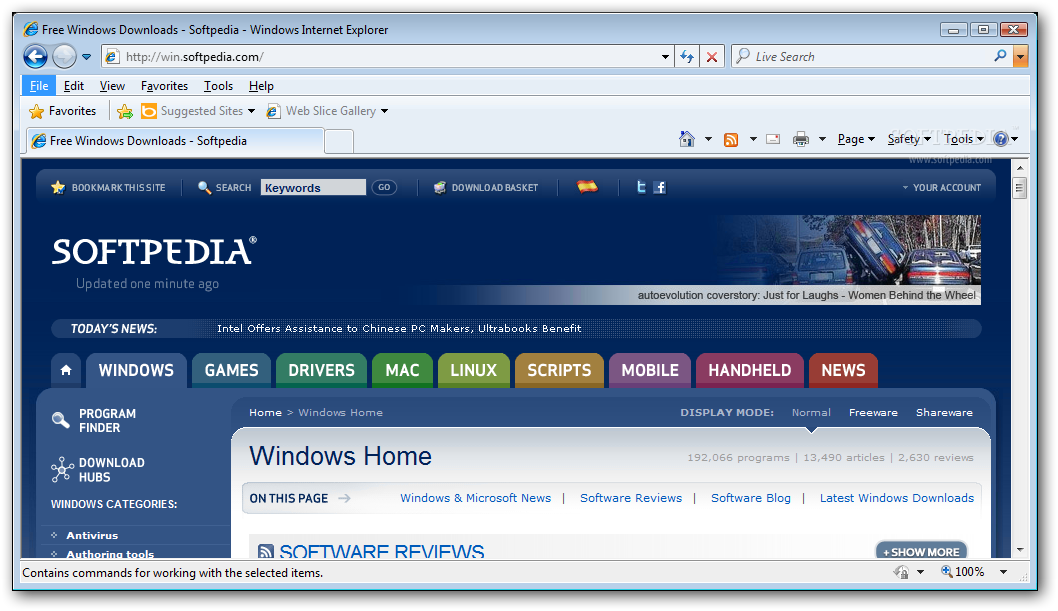
Keep up with what matters most with Web Slices
Add a Web Slice and you won't have to go back to the same website again and again for updates on news, stock quotes, online auctions, weather, or even sports scores—now those updates will come to you. The new Web Slice feature provides up-to-the-minute information on the sites you care about most in one convenient place on the new Favorites bar.
Get things done faster with Accelerators
View driving directions, translate words, email your discoveries on the web to others, and more in just a few mouse clicks. Complete your everyday browsing activities more quickly with the new Accelerator feature.
Stay more secure
The new SmartScreen Filter lets you browse and email more safely by helping to protect against deceptive and malicious websites which can compromise your data, privacy, and identity.
Browse with more privacy
Surf the web without saving your history, shop for that special gift with confidence knowing your family won't accidentally find out, or use a shared computer without leaving a trace. Help protect your privacy with new InPrivate Browsing and InPrivate Filtering features.

Internet Explorer 8 description
Making your web even better...Faster, Easier, Safer
The Internet Explorer 8 provides a web browsing experience you will enjoy.
View any site with ease
Now you can quickly display websites that were designed for older browsers. Simply press the new Compatibility View button if you see display problems on a website like misaligned text, images, or text boxes. It's located next to the Refresh button on the Address Bar.
Visualize your search
Search smarter with detailed suggestions from your favorite search providers and browsing history. Let the Instant Search Box do the thinking for you as instantaneous image and text suggestions appear as you type.
Keep up with what matters most with Web Slices
Add a Web Slice and you won't have to go back to the same website again and again for updates on news, stock quotes, online auctions, weather, or even sports scores—now those updates will come to you. The new Web Slice feature provides up-to-the-minute information on the sites you care about most in one convenient place on the new Favorites bar.
Get things done faster with Accelerators
View driving directions, translate words, email your discoveries on the web to others, and more in just a few mouse clicks. Complete your everyday browsing activities more quickly with the new Accelerator feature.
Stay more secure
The new SmartScreen Filter lets you browse and email more safely by helping to protect against deceptive and malicious websites which can compromise your data, privacy, and identity.
Browse with more privacy
Surf the web without saving your history, shop for that special gift with confidence knowing your family won't accidentally find out, or use a shared computer without leaving a trace. Help protect your privacy with new InPrivate Browsing and InPrivate Filtering features.
Opera Turbo description
Faster browser with features that speeds you up
The staggering demand for mobile Internet access and connectivity for a range of Web-enabled devices creates numerous opportunities for operators and OEMs (and drives the innovation that keeps consumers satisfied), but fully realizing the opportunities requires innovative solutions.
As the demand is met, more competition for limited bandwidth resources grows. Building on the strength of Opera Mini data compression technology, the Opera Turbo browser was developed to help optimize these resources.
Operators, OEMs and consumers all reap the benefits of Opera Turbo's data compression and savings technology.
Operators can:
Reduce network traffic and save on data transmissions
Improve the Internet experience by increasing Web page download speeds and performance
Extend the longevity of mobile network investments
Stay ahead of the competition by deploying quickly
Increase user satisfaction and retention
Control or restrict certain content
Gain insights into consumer behavior

OEMs can:
Improve the Internet experience by increasing Web-page download speeds and performance
Maximize hardware capabilities by processing server-side
Achieve and maintain time to market
Enhance usability/user satisfaction
Deploy across platforms and chipsets and with both low- and high-end hardware
Enable a full browsing experience on low-end hardware by reducing memory and CPU usage
Consumers enjoy:
Improved Internet experience with browser speed and performance
Greater affordability and cost predictability
Optimized browsing experiences on low-end device hardware
A consistent, stable, high quality Internet experience across a variety of products

Opera Web Browser description
One of the fastest, smallest and smartest full-featured web browser
The most full-featured Internet power tool on the market, Opera includes tabbed browsing, pop-up blocking, integrated searches and advanced functions like Opera's groundbreaking e-mail program, RSS Newsfeeds and IRC chat. And because we know that our users have different needs, you can customize the look and content of your Opera browser with a few clicks of the mouse.
The Opera Web browser offers several new features for functionality, security, usability, customization, searching, saving, taking shortcuts and accessing Web content.
Whether you're going to work, working from home, developing Web sites, or just looking for a quick, solid browser that can help you quickly access the Internet, Opera delivers a superior Web experience for every aspect of your online life, with lots of tech tools for power users.
Here are some key features of "Opera for Windows without Java":
■ Speed Dial.
Now you have a new way to access your favorite Web sites. Just open a new tab to get your Speed Dial. It's easy to populate and addictive to use.
Find out what other people are putting on their Speed Dial.
■ BitTorrent.
You don't need a separate BitTorrent application to download large files. Simply click a torrent link and start the download.
■ Site preferences.
Want to view a site in a different way or deny certain cookies? Want to block pop-ups on certain sites only? Right click and select "Edit site preferences".
■ Thumbnail preview.
It is easy to have many tabs open at once in Opera. But exactly which tab had that video you wanted? Hover your mouse on any tab to see a thumbnail preview.
■ Fraud protection.
Opera's advanced fraud protection protects you against web sites that try to steal your personal information.
■ Add your favorite search engines.
Right-click on the site's search field and select "Create search" from the menu.
■ Widgets.
Small Web applications (multimedia, newsfeeds, games and more) that make your desktop experience more fun. Use the Widgets menu to discover new widgets and access your favorites.
■ Transfer manager.
View download progress and access all your downloads from one simple transfer manager window.
■ Password manager.
The password manager remembers your usernames and passwords so you will not have to.
■ Mouse gestures.
Opera supports mouse gestures, allowing you to perform certain movements with the mouse to access commonly used features.
■ Notes.
Notes can be kept in conjunction with a Web site you want to refer to later, or remind you of any particular information you may like to review again.
■ Keyboard Shortcuts.
Keyboard shortcuts - like mouse gestures - make your browsing faster and more efficient. Read more about all the keyboard shortcuts in Opera.
■ Tabbed browsing.
Surf the Web easier and faster by opening multiple Web pages within the same application window
■ Integrated search.
Search Google, eBay, Amazon and more with our integrated search field. You can also search directly in the address field using keywords
■ Fast Forward.
Fast Forward will detect the most likely "next page" link and greatly simplify navigation in multi-page documents such as search results and image galleries.
■ Voice.
The voice feature allows you to control Opera's interface by talking and to have documents read aloud. Voice is currently offered in English
■ Full-screen mode.
The F11 key toggles Opera's projection mode, using the whole screen for browsing and, if a projection style sheet is present, displays 'slides' suitable for presentation.
■ Kiosk mode.
Opera supports kiosk mode - a lock-down mode in which the browser can be used for unattended computers in public places.
■ Opera mail.
Our built-in POP/IMAP E-mail client is a combined e-mail program, news reader, mailing list organizer and RSS/Atom newsfeed reader.
■ Standards support.
We take pride in supporting all major Web standards currently in use, including CSS 2.1, XHTML 1.1, HTML 4.01, WML 2.0, ECMAScript, DOM 2 and SVG 1.1 basic.
Requirements:
· 20 MB of free disk space.
What's New in This Release: [ read full changelog ]
· Some fixes to crash upload dialog
· Use default search engine rather than a specific search engine when tying two or more words and pressing Enter
· [DSK-180617] Links opened in external applications closes page if page is opened from a panel or mail
· [DSK-239506] Can't correct spelling using only the keyboard
· [DSK-251332] Changing the size of the searchfield when the addressbar is placed on the left causes it to disappear forever
· [DSK-251349] Search box and address field are misaligned
· [DSK-252737] No timeout when new spelling checker dictionaries can't be retrieved
· [DSK-252992] "Other Application..." doesnt' work in the BitTorren Client Selection dialog
· [DSK-253202] Replace 'Language' with 'Dictionary' in dictionary download wizard and spellcheck menu
Skinning improvements:
· Made the splitter dividers separately skinable with the sections [Splitter Horizontal Divider Skin] and [Splitter Vertical Divider Skin]. Remember their height/width is always 3px
· Text-shadow ability in...

Google Chrome 3.0.182.3 Dev / 2.0.172.30 Beta / 2.0.172.28 Stable / 1.0.154.65 Stable: Free Download


Google Chrome description
A browser that combines a minimal design with sophisticated technology to make the web faster, safer, and easier
One box for everything
Type in the address bar and get suggestions for both search and web pages.
Thumbnails of your top sites
Access your favorite pages instantly with lightning speed from any new tab.
Shortcuts for your apps
Get desktop shortcuts to launch your favorite web applications easily and quickly.
Here are some key features of "Google Chrome":
· One box for everything
· New Tab page
· Application shortcuts
· Dynamic tabs
· Crash control
· Incognito mode
· Safe browsing
· Instant bookmarks
· Importing settings
· Simpler downloads
What's New in This Release: [ read full changelog ]
· The small font issue affecting most non-English languages has been fixed
Reasons why this program is marked as adware:
· Attempts to change the homepage for web browsers installed on the system
· Attempts to change the default search engine for web browsers installed on the system

Rapidshare is one the most known websites in the Internet where users can upload and download tons of files without any program and without staying on queue for a long time. (Waiting a lot of time is a thing which is well-known to clients for the ED2K and de-centralized Kad networks such E-mule). If you still want to improve the way you download files from Rapidshare because you don’t want to wait for the resources to be available (the famous countdown) or because you want to download more than 1 file, here is a freeware solution for you.
Rapidshare Auto Download is a nice, free download manager for the Rapidshare website. Here is a list of its most important features:
- Download a group of links from Rapidshare (one by one).
- Download incomplete downloads until all links are downloaded.
- Auto Shutdown.
- Support of 3 Languages : English , Farsi , French.
- No more wait for the link to be generated!
- Versatile schedule for your downloads.
If you want to know more, or if you just want to download it, visit the official website.
[Thanks, DanielRemains for providing me with the right, working link]

For some obscure purpose, all Windows Vista versions don’t have the Run Command in the Start Menu anymore. There are not any reason to have it removed since it is very useful when you want to launch some application without having to look for it. Let’s see how to restore it with a trick easy to apply.
- Right click on the Start icon.
- Click Properties.
- On Start menu tab click Customize.
- A list of features should now be available. Scroll the list down and tick Run Command.
- Click OK.
Bonus
If you want to access the Run Command right away, just press the Windows button + R on your keyboard.

Conficker manages to get through your computer in the same classic ways other viruses do. So, there is nothing new under this side. Useless to say, don’t open any files attached to e-mails you don’t know the sender. The first thing Conficker does is to disable system services such as Windows Automatic Update, Windows Error Reporting and other ones. Right after that it will try to connect to a remote server to download more malware to your PC. To block and prevent Conficker attacking you, you need to disable the AutoRun feature by downloading these simple applications in case your operating systems is Windows 2000 or Windows XP. If you own Windows Vista, all you have to do is install this hotfix. After that, for all operating systems, follow these steps:
- Click Start.
- Click Run.
- Type gpedit.msc and hit Enter.
- Under Computer Configuration locate and expand Administrative Template.
- In Windows XP click System while for Windows Vista click Windows Components then Autoplay Policies.
- In the right-pane, right-click Turn off Autoplay, then click Properties.
- Under Turn off Autoplay click the Enabled radio button and select All Drivers.
- Click OK.
- Restart your computer.
Garmin and Volkswagen have teamed up to create Click & Ride, an integrated GPS system. The integrated GPS system has been designed to suite both new and used VW vehicles. The system will has similar features of the Garmin Nuvi 7X5 Series portable navigation device.

Featured with a 4.3-inch color touch screen, the device is also integrated with text-to-speech function, supports lane assist and traffic services with the ability to route around congestion. Moreover, it is connected to the vehicle audio system and power supply.
To meet the strict GPS device placements laws, the GPS will mount in the lower driver’s side corner of the windshield. The installation of the mount results in a semi-permanent installation but it can easily remove without damage the vehicle.
The price of the device is not yet announced but is estimated to cost about $400.
The Korean consumer electronics giant, LG has announced the launch of its new LG GD900 Crystal slider phone with a transparent keypad , which the company claims as the world’s first transparent design mobile phone, featuring large 3-inch WQVGA touch screen display, LG’s S Class 3D user interface, 8 megapixel camera with autofocus and flash, built in accelerometer, Wi-Fi, HSDPA, 1.5GB internal memory and Dolby Mobile audio technology, aiming to enhance your mobile experience.

The new LG GD900 Crystal which measures 105 x 52.5 x 13.5 mm will be available in chrome and titanium colors, slated to hit UK market beginning July 1st but no words on its price yet.

So, who said that Microsoft is all operative systems and software? As a matter of fact, Microsoft is exploring new possibilities, looking to expand its domains beyond the application boundaries. Particularly, the Richmond company is interested in the Internet cash cow and how to fight back big companies such as Google and Yahoo! in their own territories. Here is a brief video about the new Microsoft search engine called Bing.


Link to Bing

Lately, Firefox has become one of the most used Internet browser in the world, only surpassed by Microsoft Internet Explorer which comes pre-installed on any Microsoft operative system. Since there are so many Firefox users out there, wouldn’t be nice to download some nice free Firefox ebook and learn those unknown tricks and tips that just a small, restricted group of geeks know? Here are some interesting free Firefox books to expand your knowledge and use Firefox at its best!
Firefox 3 revealed. This interesting ebooks will let you understand and know all of the new features in Firefox 3, both on the surface and under the hood. Thanks to this book you will learn all the new security improvements which will keep your private data secured from hackers, all the new features available for storing bookmarks, passwords and more and how the AwesomeBar will make locating pages you’ve visited in the past faster and easier.
Firefox Facts. Learn how to master Firefox. The best hacks, tricks, and tips enclosed in a free ebook which will keep your nose stuck on its pages!
Firefox Book. Last but not least the COMPLETE guide to Firefox Internet Browser. In this extraordinary free ebook you will know everything about Firefox. Its story, its beginnings, its success , its great features and its less known tricks and tweak. Everything you always wanted to know about Firefox and never dared to ask. A real masterpiece to download right away and keep in your e-shelves!